

Frontend vs Backend Development: Understanding the Difference
In web development, frontend and backend are terms you’ll hear often. While they work together to create functional websites and apps, they focus on very different aspects of the development process. Understanding the difference can guide aspiring developers and businesses in making the right decisions. What is Frontend Development? The frontend is everything users interact with directly. Often called the “client-side”, it handles the visual and interactive elements of a website or app. Key Points About Frontend Development: Focus: Visuals, Layout, and User Experience Frontend developers create interfaces that are visually appealing and easy to navigate. This includes colors, fonts, buttons, menus, and page layouts to ensure a smooth experience for users. Technologies Used: HTML: Provides the structure of a webpage (headings, paragraphs, images). CSS: Styles the webpage by controlling colors, spacing, and layouts. JavaScript: Adds interactivity, like pop-ups, sliders, and animations. Frameworks & Libraries: Tools like React, Angular, Vue.js,
Comprehensive Guide to Tree Shaking in JavaScript: How It Works and Why It Matters
In modern web development, making your applications fast and lightweight is more important than ever. One way to achieve this is through a technique called Tree Shaking, which helps remove unnecessary code and shrink your JavaScript bundles. If you’ve used tools like Webpack or Rollup, you’ve probably come across the term. But what does it really mean, and how does it work? In this guide, we’ll break down tree shaking in simple terms—why it’s important, how it works, and how you can use it in your projects. Whether you’re just starting out or have experience building apps, this article will make the concept easy to understand and apply. What is Tree Shaking? Tree shaking is a technique used to remove code that isn’t being used (also known as dead code) from your JavaScript bundles during the build process. The name comes from the idea of “shaking a tree” to drop
Progressive Web Apps (PWA): The Future of Web Development
In today’s fast-paced digital world, users expect speed, reliability, and an app-like experience no matter their device or internet connection. That’s where Progressive Web Apps (PWAs) come in. They bridge the gap between web and mobile apps, providing the best of both worlds. But what exactly is a PWA, and why should developers care? What is a Progressive Web App (PWA)?A Progressive Web App is a type of application software delivered through the web, built using standard web technologies like HTML, CSS, and JavaScript, but with the feel and functionality of a native app. PWAs work on any platform that uses a standards compliant browser, including both desktop and mobile devices. Core Characteristics of PWAs Key Technologies Behind PWAs Service Workers: JavaScript files that run in the background to enable offline support, push notifications, and caching. Web App Manifest: A JSON file that defines the app’s name, icons, theme color,

Software Engineer Jordan Walke, React (JavaScript) Founder Biography
Early Life & Curiosity for Computers Jordan Walke was born on October 5, 1984, in the lively city of Houston, Texas. From a young age, he showed an unusual fascination with problem-solving and creativity. While other kids were playing outside, Walke often found himself in front of a computer, tinkering with code and trying to figure out how things worked. His family encouraged his curiosity, and this supportive environment gave him the freedom to dive deep into the world of technology. For Walke, computers were never just machines. They were puzzles — systems waiting to be explored, broken apart, and rebuilt. This early obsession laid the foundation for a career that would eventually change how millions of developers build the web. Education at MIT Walke’s intellectual journey took him to the Massachusetts Institute of Technology (MIT), one of the most prestigious schools in the world. At MIT, he studied Computer

Anatomy of a single-page application
Single page applications (SPAs) are everywhere. Even if you’re not exactly sure what they are, you most likely use them regularly — they’re a great tool for making incredibly engaging and unique experiences for website users. A single page application is a website or web application that dynamically rewrites a current web page with new data from the web server, instead of the default method of a web browser loading entire new pages. it’s worth breaking down the basic principles of a single-page app. This is meant to be a high level overview and not a technical deep dive on any specific platform. Web browsers work using a traditional client-server model. A web browser (the client) sends a request for some page to a web host (the server). The server sends back some HTML to the web browser. That HTML includes structured text along with links to other files such
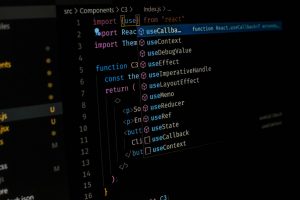
Unleashing Productivity: Battle of the Text Editors — VS Code, Vim, and Nano
In the ever-evolving world of software development and system administration, the tools we choose can make a significant difference in our productivity, efficiency, and even our enjoyment of the craft. Among the most essential tools in a developer’s arsenal is the text editor. From the sleek and feature-rich Visual Studio Code to the lightning-fast, keyboard-centric world of Vim, and the minimalist comfort of Nano, each editor serves a unique purpose and audience. Understanding their strengths and limitations can help both beginners and seasoned developers make the best choice for their workflows. Visual Studio Code, commonly known as VS Code, has quickly become one of the most popular editors in the programming world. Developed by Microsoft and supported by a large community, it combines the best aspects of traditional Integrated Development Environments (IDEs) with the speed and flexibility of a text editor. With features like IntelliSense for intelligent code completion, built-in